Lights & Electronics

10 Best Bike Computer of 2026: Match Your Riding Style and Budget

Find the best bike computer for your needs – from basic speedometers to GPS navigators – without overpaying for features you won't use.

Bike computers promise a lot: accurate GPS, long battery, and seamless navigation. But anyone who has waited minutes for a satellite lock or watched a battery drain mid-ride knows the reality often falls short. The gap between marketing claims and actual performance is wide, especially at the budget end where GPS reliability gets sacrificed for a low price.

That doesn't mean you have to spend a fortune to get a good computer. It means you need to match the device to how you actually ride. This guide cuts through the spec sheets and user frustrations to show you which models deliver on their promises for specific riding styles – from the commuter who just wants speed and distance to the bikepacker who needs days of battery and reliable routing.

1

COROS DURA Solar

Top Pick
COROS DURA Solar

Endurance riders

Our Score 9.2/10
Check Price

Worth Noting

  • Pairing with some third-party sensors (Garmin Varia, Wahoo power pedals) can be hit-or-miss
  • Occasional firmware update glitches or failure to start a ride may require a hard reset
Display
2.7" color touchscreen
Navigation
Turn-by-turn with Google Maps rerouting
Battery Life
120 hours (solar ext.)
GPS Accuracy
Dual-frequency GNSS
Read the full review

No other bike computer in its price range matches the battery endurance of the COROS DURA Solar. The 120-hour GPS mode provides a week of daily rides on a single charge, and the solar panel extends that further during daylight hours — on sunny days the added runtime can be significant, though actual gains vary with light intensity. Even without solar, the baseline handles multi-day tours without needing a power bank.

Dual-frequency GNSS locks position within seconds, and turn-by-turn navigation with automatic rerouting via Google Maps handles route deviations cleanly. The 2.7-inch MIP color touchscreen stays crisp in direct sunlight, and the IP67 waterproofing shrugs off rain and mud. Menu navigation is logical, and data fields are customizable.

This computer is built for bikepackers, tourers, and endurance riders who prioritize battery life above all else. Riders invested in a Garmin or Wahoo sensor ecosystem may encounter pairing hiccups with accessories like Varia radar or power pedals — it is worth confirming compatibility before a long trip. For those using COROS’s own sensors or a simple speed/cadence setup, the DURA delivers exceptional value at a mid-range price. Occasional firmware update glitches or a ride start failure has been noted, but these are rare and usually resolved with a reset. For anyone who values autonomy over constant charging, this is the most compelling bike computer under $300.

When pairing third-party sensors, try adding them from the sensor's own app first, then search on the COROS device for a more stable connection.

Bottom line: For endurance riders who want to forget about charging and still get accurate navigation, the COROS DURA Solar is the most practical option at this price. Just plan a test session with your existing sensors before disappearing into the backcountry.

2

Garmin Edge 840

Garmin Edge 840

Performance cyclists

Our Score 9.0/10
Check Price

Worth Noting

  • Some units can have charging or power irregularities
  • Premium price tag limits appeal beyond committed cyclists
Display
2.6" touchscreen + buttons
Navigation
ClimbPro, power guide, maps
Battery Life
26h / 32h saver
GPS Accuracy
Multi-band GNSS
Read the full review

The Edge 840 combines a responsive touchscreen with physical buttons, giving you quick menu access on dry days and tactile control when wet or gloved. ClimbPro and Power Guide add training depth that serious riders will appreciate, while multi-band GNSS keeps tracking accurate even under tree cover. This is the most balanced Garmin for those who want both convenience and performance.

This unit suits riders who need all-weather control and premium training metrics, but the premium-priced entry point ($400+) will feel steep for casual weekenders. Some units have shown occasional charging hiccups or unexpected resets — not a widespread problem, but worth confirming a working unit early. If you can absorb the cost and value Garmin's ecosystem, the 840 delivers a cohesive experience that the button-only Edge 540 can't match.

Bottom line: The Edge 840 is the Garmin to buy when dual control and training depth matter more than saving a few dollars — skip it if you ride casually or need the longest battery on the market.

3

CATEYE Velo 7 Wired

CATEYE Velo 7 Wired

Beginners commuters

Our Score 9.0/10
Check Price

Worth Noting

  • Instructions are poorly written and confusing to follow.
  • Wired sensor requires routing a cable along the frame
Display
2.17" LCD
Navigation
Battery Life
~3 years (alkaline)
GPS Accuracy
Read the full review

The CATEYE Velo 7 is a wired computer that never needs battery swaps or wireless pairing – install it and it runs for years. When calibrated correctly, speed and distance readings match GPS devices. Mounting takes minutes, and the large display is easy to read at a glance. At this price, it offers unbeatable value for basic metrics.

This computer is best for beginners, commuters, and anyone who wants speed and distance without GPS complexity or frequent battery changes. It works well in daylight, but the lack of a backlight makes night riding difficult. The included instructions are confusing at first; once set up, the computer operates without issues.

Set aside a few minutes to watch a setup video online – the manual is confusing, but the installation itself is simple.

Bottom line: For riders who want a no-nonsense speed and distance computer that won't let them down, the Velo 7 delivers at a price that's hard to beat.

4

COOSPO CS600

COOSPO CS600

Budget touchscreen

Our Score 9.0/10
Check Price

Worth Noting

  • If you wander off a planned route, the breadcrumb navigation does not recalculate
  • Under heavy tree cover or in shade, the screen may lose readability compared to direct sunlight.
Display
2.4" color touchscreen
Navigation
Breadcrumb + route upload
Battery Life
36 hours
GPS Accuracy
GPS + GLONASS
Read the full review

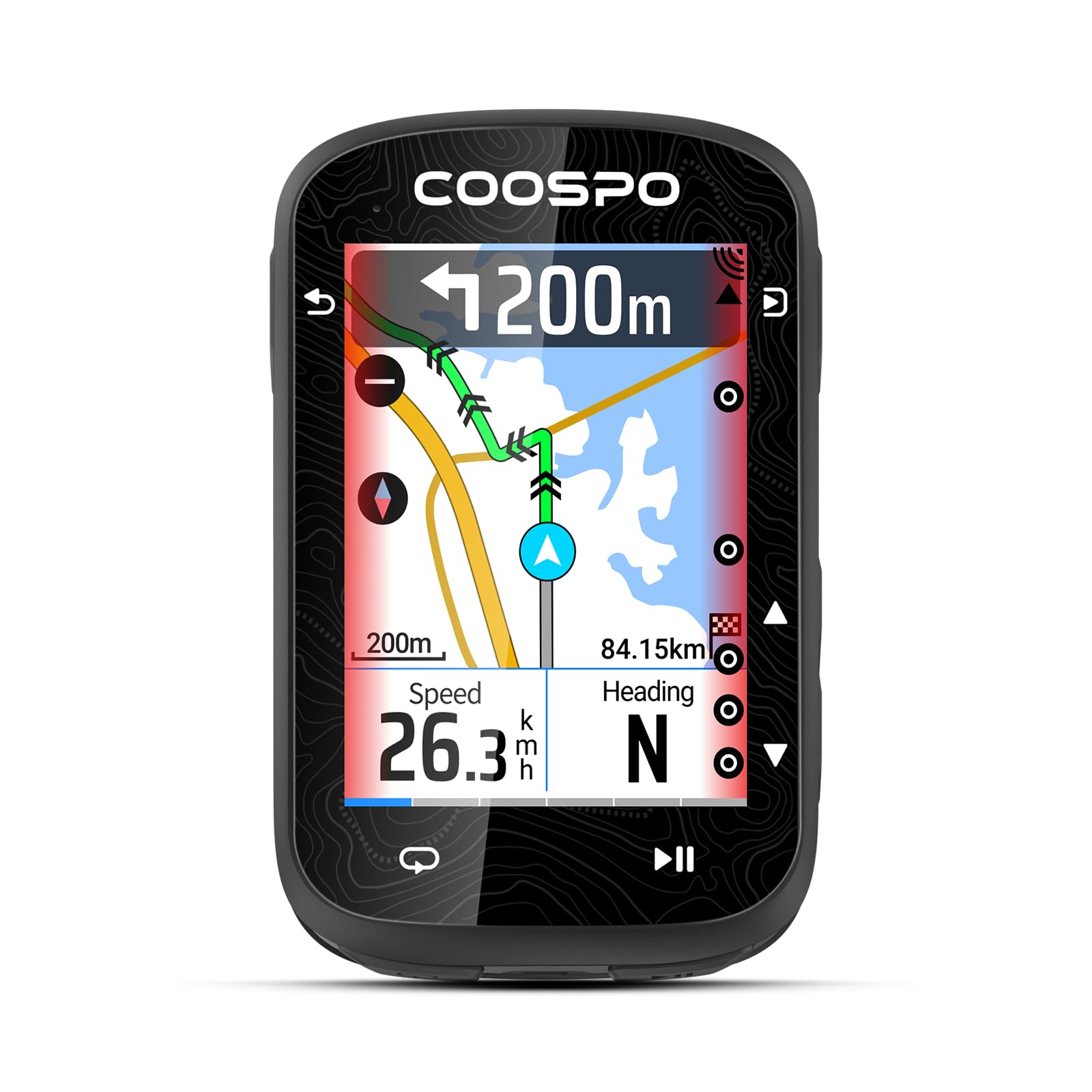
The COOSPO CS600 delivers a responsive 2.4-inch color touchscreen and 36-hour battery life at a price that undercuts most equivalent Garmin models by a wide margin. GPS + GLONASS tracking is accurate, and the interface responds smoothly to taps and swipes.

This computer is a strong match for riders who follow planned routes and prioritize long battery life over advanced navigation features like automatic rerouting. The color display works well in most conditions, though direct sunlight may wash it out slightly. For under $110, it brings a premium feel to a budget category largely dominated by monochrome screens.

Adjust screen brightness manually in bright conditions for best visibility.

Bottom line: A compelling budget option for riders who want a color touchscreen and long battery life without the premium price, as long as they are comfortable with breadcrumb-only navigation and occasional display glare.

5

iGPSPORT BiNavi

iGPSPORT BiNavi

Big-screen navigation

Our Score 9.0/10
Check Price

Worth Noting

  • UI menu navigation is not intuitive and requires time to learn.
  • Rerouting can be slow and occasionally freezes when you deviate from the route.
Display
3.5" color touchscreen
Navigation
Turn-by-turn, rerouting, offline maps
Battery Life
35 hours (claimed)
GPS Accuracy
Dual-band, 5 satellite systems
Read the full review

The iGPSPORT BiNavi delivers a big, bright 3.5-inch color touchscreen that makes navigation and music controls easy to see in bright sunlight. Turn-by-turn directions work well for following pre-planned routes. However, the menu system requires patience to set up, and the rerouting function can lag or freeze when you go off course. At this price, it is a strong option if you prioritize screen size over immediate polish — the interface learning curve and occasional rerouting lag are real but manageable for riders willing to invest setup time.

Bottom line: Best suited for riders who want a large screen for navigation without spending over $250 and are comfortable with a learning curve.

6

Garmin Edge 540

Garmin Edge 540

Data-driven riders

Our Score 8.8/10
Check Price

Worth Noting

  • Button controls require firm presses and can be difficult to operate with cycling gloves on.
  • Navigating menus and zooming maps is not intuitive; expect a learning period before everyday use feels natural.
Display
2.6" color LCD
Navigation
ClimbPro, power guide
Battery Life
26h / 42h saver
GPS Accuracy
Multi-band GNSS
Read the full review

The Garmin Edge 540 delivers the longest battery life in its price range, with multi-band GNSS tracking and training features like ClimbPro and Power Guide that rival more expensive models. Its button-only interface is the key tradeoff against the touchscreen-enabled Edge 840 — you get the same core performance for less money, but every menu entry, map zoom, and data field adjustment requires clicking through layered menus.

This computer suits riders who prioritize training data and battery endurance over ease of setup. The learning curve is real: button navigation takes deliberate practice, and gloves make the small buttons harder to press. Riders comfortable with physical controls and willing to invest time in configuration will find exceptional value here; anyone who prefers tap-and-swipe simplicity should look at the touchscreen alternatives.

Set up your data screens and favorite pages before the first ride; it saves a lot of menu scrolling on the road.

Bottom line: A feature-rich Garmin that rewards patience — long battery and solid GPS at a fair price, but only if you’re comfortable with button-only navigation.

7

Wahoo ELEMNT Bolt V3

Wahoo ELEMNT Bolt V3

Navigation enthusiasts

Our Score 8.8/10
Check Price

Worth Noting

  • Pairing with third-party sensors and the Wahoo app can be finicky in some cases
  • 20-hour battery may not last through very long rides or multi-day events
Display
2.3" LCD
Navigation
On-device turn-by-turn
Battery Life
20 hours
GPS Accuracy
Multi-band GNSS
Read the full review

Automatic route downloads from Strava and RideWithGPS work without manual file transfers, and the button controls let you navigate one-handed on rough terrain. Build quality feels solid enough for regular use, and the 2.3-inch LCD is crisp in direct sunlight.

This computer suits cyclists who prioritize seamless app syncing and physical buttons over battery range. Riders whose rides stay within 20 hours will appreciate the intuitive interface, though those planning all-day trips may find the battery limiting — the top pick lasts several days between charges.

Keep firmware and the Wahoo app up to date to minimize occasional sensor pairing issues.

Bottom line: The Bolt V3 is a strong pick for navigation-focused riders who value app integration and button controls — just check that your typical ride length fits within 20 hours.

8

CATEYE Padrone

CATEYE Padrone

Large display

Our Score 8.6/10
Check Price

Worth Noting

  • Mount may come loose on rough terrain, causing the computer to drop
  • Some units may stop functioning after extended use
Display
2.2" LCD
Navigation
Battery Life
~1 year (coin cell)
GPS Accuracy
Read the full review

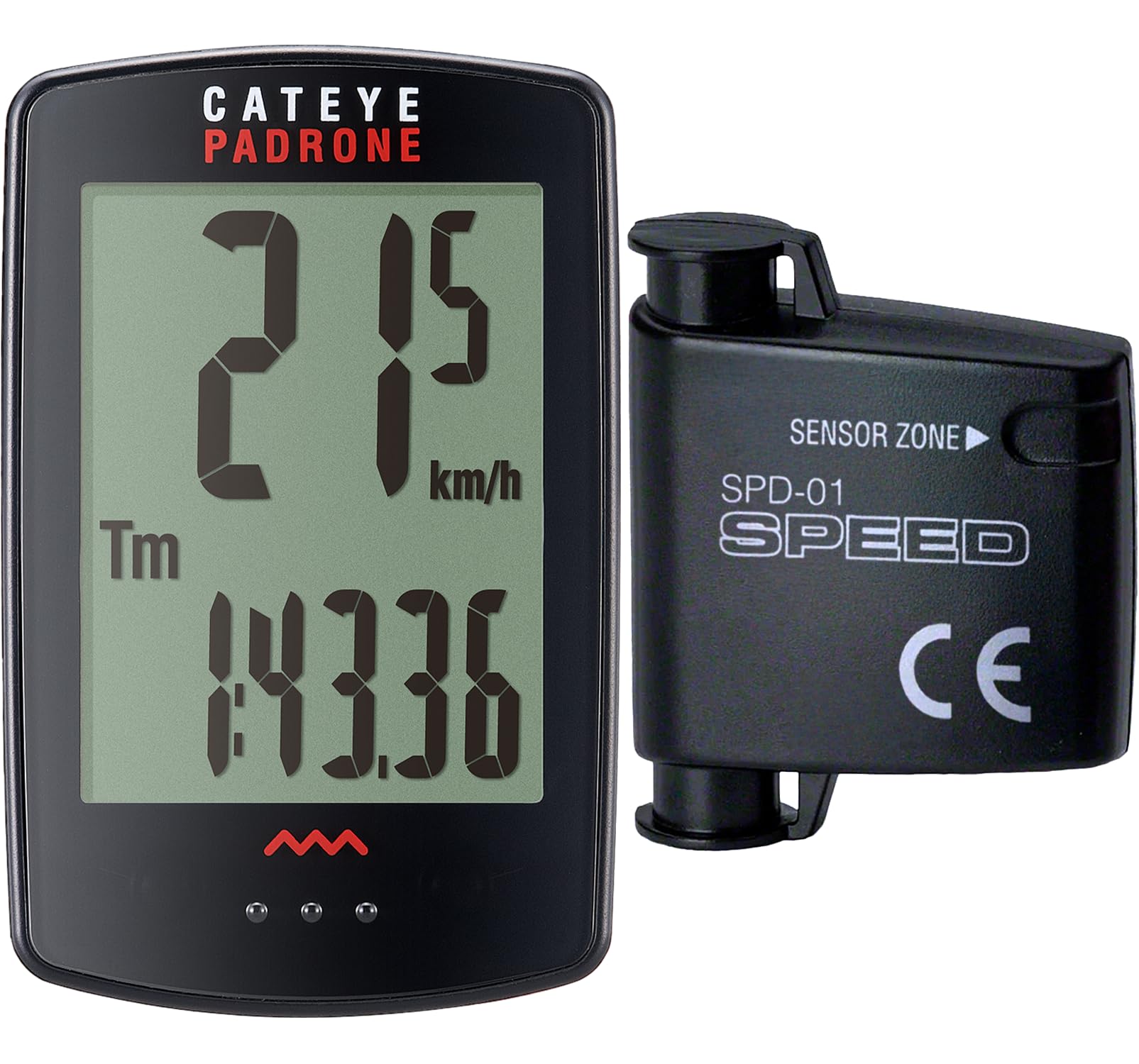
The CATEYE Padrone delivers an exceptionally large display that makes speed and distance easy to read without needing GPS. It sets up quickly and operates with minimal fuss. However, the handlebar mount can lose grip on bumpy roads, potentially dropping the computer, and some units may stop working after a few months. This is a reasonable option for riders who stick to smooth pavement and want a basic wireless computer, but those needing ruggedness or long-term consistency should consider alternatives.

Bottom line: Best suited for casual riders on smooth roads who want a big display and can accept occasional mount or unit inconsistencies.

9

CYCPLUS G1

CYCPLUS G1

Budget cyclists

Our Score 8.4/10
Check Price

Worth Noting

  • GPS connection can be slow to acquire and may lose lock mid-ride
  • Interface buttons and menus are not intuitive to navigate
Display
2" LED
Navigation
Battery Life
50 hours (claimed)
GPS Accuracy
Single-band GPS
Read the full review

This GPS bike computer delivers accurate speed and distance tracking that matches phone GPS, with a large easy-to-read display and long battery life that lasts weeks of short rides. Setup is quick and the price is hard to beat. However, the GPS can take several minutes to acquire satellites at startup and occasionally fails to lock, while the button-driven interface is confusing to navigate without the manual. These tradeoffs make it best for casual riders who only need basic data and don't mind the startup wait.

Bottom line: This budget unit suits riders who want GPS data without the high cost and can tolerate a minute of satellite acquisition at the start of each ride.

10

SRAM Hammerhead Karoo

SRAM Hammerhead Karoo

Display quality

Our Score 8.4/10
Check Price

Worth Noting

  • Battery life at 15 hours is below average for the premium price segment.
  • GPS signal consistency may vary in some environments.
Display
3.2" LCD (smartphone-like)
Navigation
Free global maps, climb detection
Battery Life
15 hours
GPS Accuracy
Multi-band GNSS
Read the full review

The SRAM Hammerhead Karoo delivers a standout 3.2-inch display that stays sharp and readable even in direct sunlight, paired with a simple setup process that rivals Garmin's ease. However, its 15-hour battery life trails behind similarly priced competitors, and sensor compatibility works best with SRAM's own AXS groupset, limiting third-party options. Some units may experience occasional GPS acquisition delays, but the overall navigation performance is solid for shorter rides.

Bottom line: Best for riders who prioritize a brilliant display and use SRAM AXS components; not for long-distance touring where battery endurance matters.

How to Choose

Display Size and Readability

The display is your main interface while riding. Larger screens (2.6 inches and up) make it easier to glance at data without taking your eyes off the road, especially at high speed. But bigger also means more power drain and bulk on the handlebars.

Sunlight readability depends on display technology: MIP (memory-in-pixel) screens reflect ambient light for excellent outdoor visibility, while standard LCDs may wash out. Touchscreens offer convenience but become frustrating in rain or with gloves – that is why models with physical buttons remain popular for wet-weather riders.

Battery Life

Manufacturers quote battery life under ideal conditions – low screen brightness, minimal GPS logging, no sensors. In real-world use with full brightness and always-on navigation, expect roughly half the claimed figure. For example, a 20-hour rating often yields 10–12 hours of practical use.

For long-distance or multi-day bikepacking, look for devices with 30+ hour ratings and consider solar charging as a buffer. For shorter weekend rides, 15 hours of real battery is usually enough. Basic wired computers running on coin cells can last years, making them the most energy-efficient choice.

GPS Accuracy and Acquisition Speed

GPS signal acquisition speed varies widely. Single-band GPS receivers can take several minutes to lock on, especially in urban canyons or under tree cover. Multi-band GNSS (using multiple satellite systems like GPS+GLONASS+Galileo) locks faster and stays accurate in challenging environments.

The trade-off: multi-band chips cost more and consume slightly more battery. For casual riders on open roads, a single-band GPS is often sufficient. For navigation in forests or cities, multi-band is worth the premium.

Navigation Capabilities

Not all GPS computers handle missed turns the same. True turn-by-turn navigation with automatic rerouting recalculates a new route if you stray from the planned path. Simpler breadcrumb navigation only shows your position on a line – you are on your own to get back on course.

Offline maps are essential for areas without cell service. Some devices require route uploads via phone apps; others store maps internally. Riders who explore unfamiliar roads should prioritize models with rerouting and offline maps, while those on fixed routes can manage with breadcrumb navigation.

Sensor Compatibility

ANT+ and Bluetooth are the two main wireless protocols for connecting heart rate monitors, cadence sensors, power meters, and radar. Most modern computers support both, but some budget models lack ANT+, limiting compatibility with older or dedicated training sensors.

If you already own sensors from a specific ecosystem (Garmin, Wahoo, SRAM), check compatibility before buying. A computer that does not pair with your existing gear is a non-starter. Also note that some third-party sensors have intermittent pairing issues even on compatible devices.

Frequently Asked Questions